
OCR Text Recognition
CrossPaste has built-in OCR (Optical Character Recognition) that extracts text from images straight into your clipboard.
Basic Usage
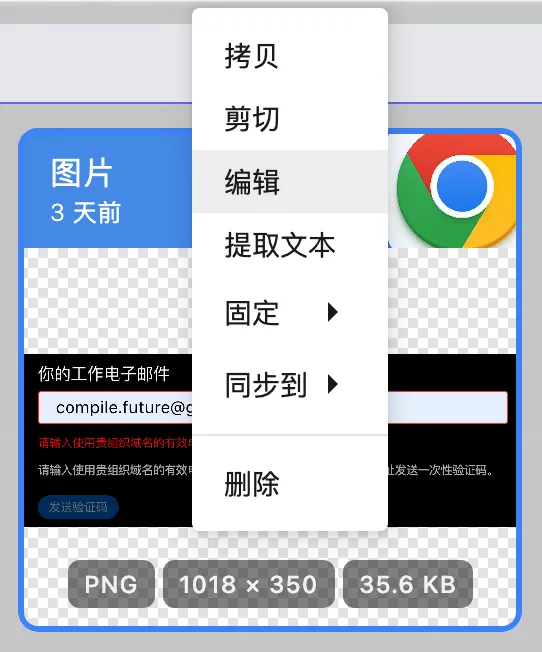
- Copy an image containing text to the clipboard (or take a screenshot)
- CrossPaste automatically records the image
- Select the image entry in the pasteboard view
- Right-click and choose the extract text option
- Once recognition completes, the extracted text is automatically copied to the pasteboard
Supported Scenarios
- Screenshot text extraction: quickly pull text out of screen captures
- Text in images: recognize text in photos and scanned documents
- Multi-language support: recognizes text in Chinese, English, and many other languages
First-time use
The first time you use OCR, CrossPaste will guide you through the required initialization. Just follow the prompts to complete the setup.
Recognition quality
OCR accuracy depends on image quality. Clear, high-contrast images produce better results. Handwriting or very blurry images may not be recognized well.