

Tags
CrossPaste organizes and manages pasteboard content with a tag system, replacing the previous simple favorites feature with a more flexible way to categorize.
What are Tags?
Tags are custom classification labels attached to pasteboard entries. You can add one or more tags to any pasteboard entry, making it easy to find things by category later.
Tags and favorites
The previous favorites feature has been upgraded to the tag system. Previously favorited entries are automatically migrated to entries with a default tag. Tagged pasteboard entries are never cleaned up automatically, consistent with how favorites behaved before.
Adding a Tag
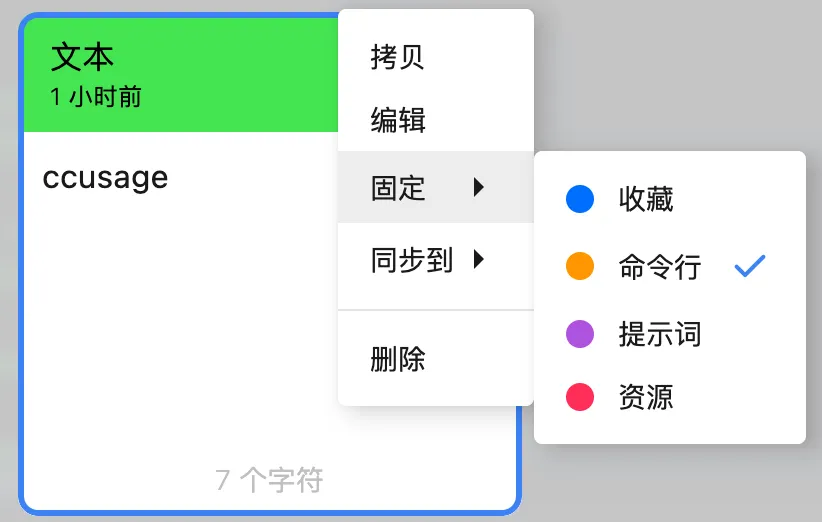
- Select an entry in the pasteboard view
- Right-click and choose the pin tag option
- Pick an existing tag
- The tag is attached to the pasteboard entry immediately
Creating Custom Tags
You can create custom tags for your own workflow, for example:
- Work — work-related content
- Code — code snippets
- Links — frequently used links
- Temp — content saved temporarily
Filtering by Tag
Click a tag next to the search box to show all pasteboard entries under that tag.
Use case
The tag system works great for turning your pasteboard into a snippet manager. Save frequently used code snippets, template text, and common links under tags, and recall them instantly whenever you need them.