
Source Exclusion
CrossPaste can filter clipboard monitoring by source application, letting you exclude copies made in specific apps so sensitive or unwanted content is never recorded.
Use Cases
- Password managers: exclude copies from password managers (such as 1Password or Bitwarden) so passwords are never recorded
- Banking apps: exclude clipboard data from banking or finance apps
- Specific tools: exclude tools you copy from frequently but don't need to keep a history of
Configuration
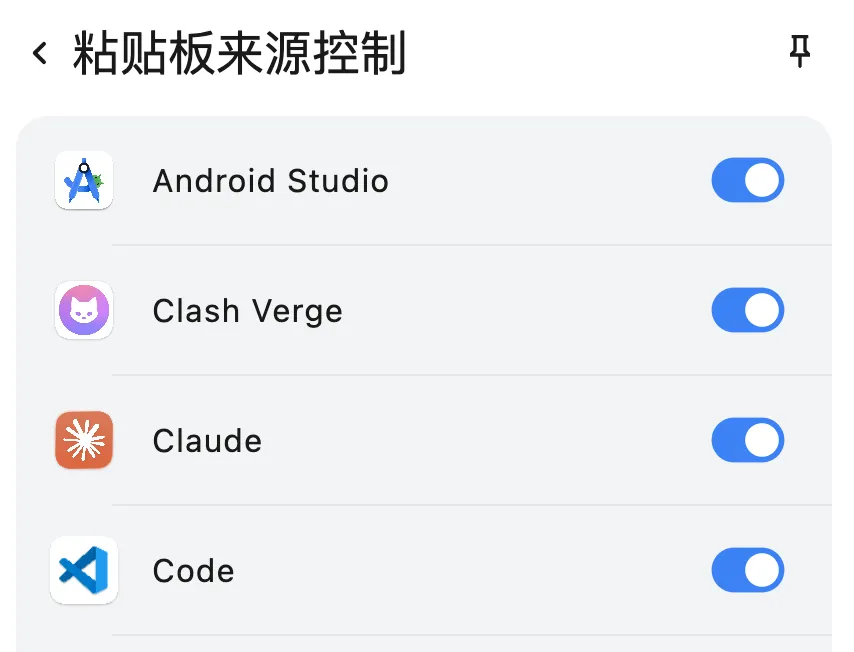
- Open the CrossPaste extension
- Go to pasteboard source control
- Turn off the switch for the application you want to exclude
- Content copied from that application will no longer be recorded by CrossPaste
TIP
Source exclusion is a great way to protect your privacy. We recommend turning off pasteboard monitoring for apps that handle sensitive information, such as password managers.