
Device Connection & Sync — Unlock True Cross-Device Experience
CrossPaste connects your Android device with other Android, iOS, Windows, macOS, and Linux devices. All syncing happens over your local network — no cloud servers involved.
1. Auto-Discovery
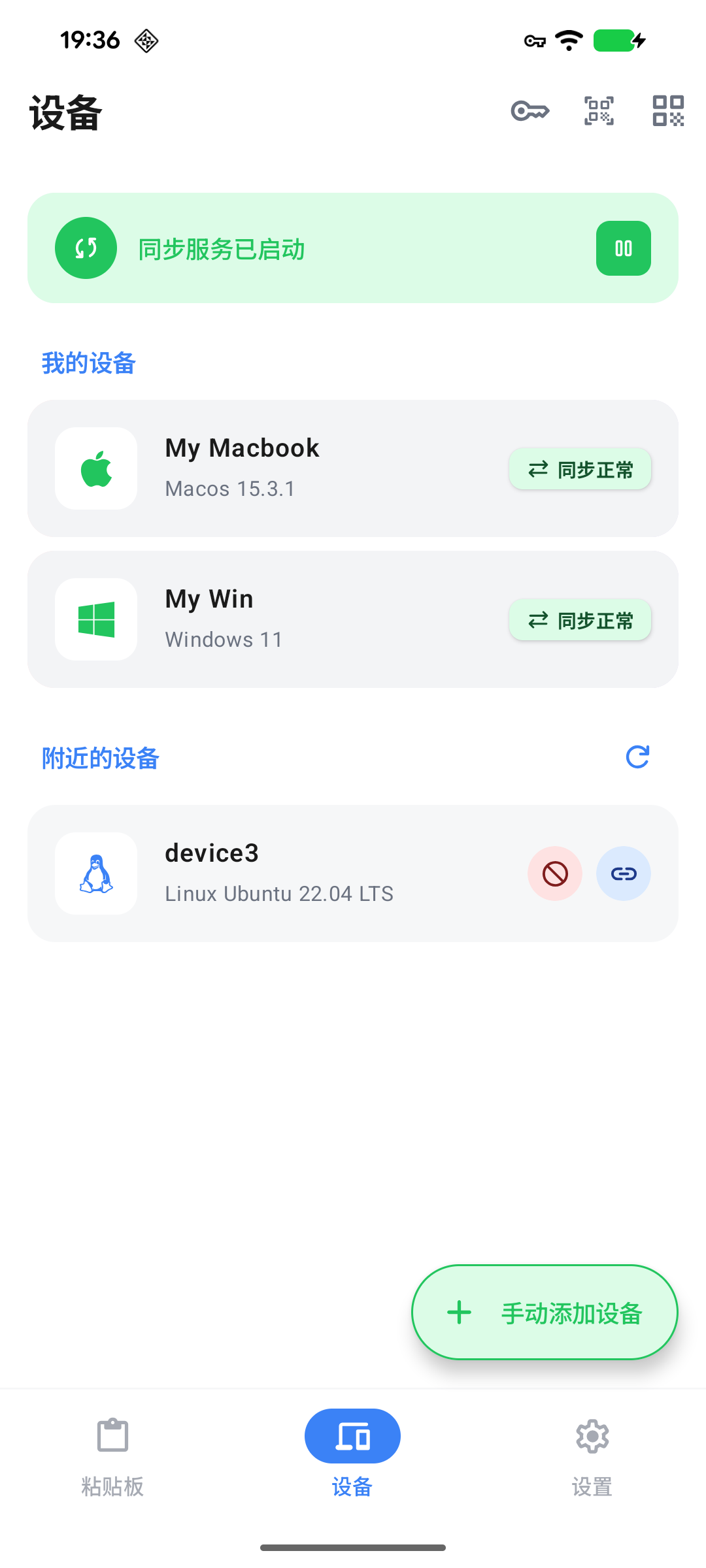
CrossPaste automatically scans the local network for other CrossPaste devices. Nearby devices appear in a list where you can choose to add or ignore them.
LAN Discovery
Both devices must be connected to the same WiFi network for auto-discovery to work. No account registration or cloud service is required.
2. Three Pairing Methods
QR Code Scan
The quickest method — scan the QR code displayed on the other device to pair instantly.
- Open the Devices screen and tap Scan QR Code
- Point your camera at the QR code shown on the other device
- Confirm to complete pairing
QR codes refresh periodically
For security, the QR code refreshes at regular intervals. If scanning fails, wait for a new code to appear.
Pairing Code Input
Enter a short pairing code when camera access is inconvenient.
- On the target device, open the Devices screen and find the pairing code
- On your device, tap Enter Pairing Code
- Enter the 6-character code
- Confirm to complete pairing
Manual IP Connection
Manually enter the IP address when auto-discovery is unavailable (e.g., devices on different subnets).
- On the target device, find its IP address in the settings
- On your device, tap Manual Connection
- Enter the IP address and confirm
3. Device Management
Rename
Give devices custom names for easier identification.
Swipe left on a device to reveal the pencil button, then tap it to edit the name.
Sync Direction Control
Configure whether to allow receiving from and/or sending to each paired device.
Remove Device
Swipe left and tap the remove button to unpair a device.
Re-pairing required
Once a device is removed, you will need to pair again to restore the connection.
4. Desktop Integration
CrossPaste supports real-time sync with desktop devices running CrossPaste. All paste types are supported, and you can target specific devices for sync.
Desktop Tutorial
For more on the desktop experience, see the Desktop Pasteboard Tutorial.