
Pro Membership — Unlock CrossPaste's Full Power
Upgrade to CrossPaste Pro for a more powerful cross-device sync experience.
1. Pro Features at a Glance
| Feature | Description |
|---|---|
| Unlimited sync | The free tier allows 5 syncs per minute; Pro removes the limit |
| End-to-End Encryption | All data transfer between devices is fully encrypted |
| Large file transfer | Break through the file size limit and sync large files with ease |
| Multi-device connection | Connect to multiple devices at once for more efficient teamwork |
| Custom tags | Create your own tag system to organize the Pasteboard |
| Home Screen Widget | Preview the Pasteboard on a home screen service widget |
| Send / Receive control | Fine-tune the sync direction for each device |
| Import & Export | Back up and restore pasteboard data — switch phones without worry |
No ads on HarmonyOS
CrossPaste for HarmonyOS doesn't integrate any ad SDK. The free tier is ad-free as well.
2. Purchase
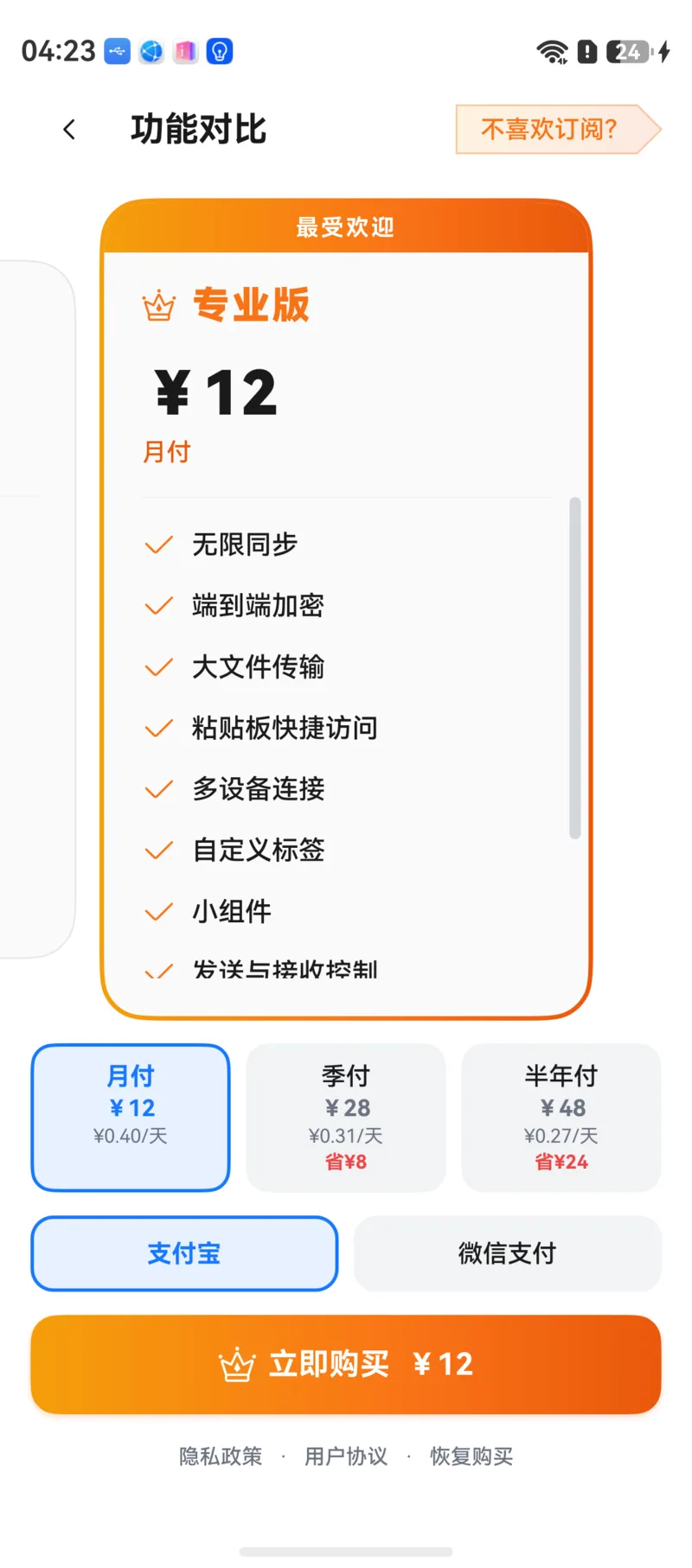
Tap Upgrade to Pro in Settings to open the purchase screen.
- Three durations: monthly, quarterly, and half-yearly — see in-app pricing
- Payment methods: Alipay or WeChat Pay
- One-time payment, no auto-renewal: You buy a fixed membership period. Nothing is charged when it expires — just purchase again to continue
Save your restore key
After a successful purchase, the app shows a restore key. This is your proof of membership for restoring on other devices or after reinstalling. Copy it right away and keep it somewhere safe.
3. Device Binding & Unbinding
One membership can be bound to up to 3 devices.
- The purchasing device is bound automatically; other devices bind via Restore Purchase
- When the limit is reached you'll see Device binding limit reached — unbind one device first
- Unbind device: Tap Unbind Device on the Pro screen. This device loses Pro features and frees up a slot, so you can restore the purchase on another device
4. Restore Purchase
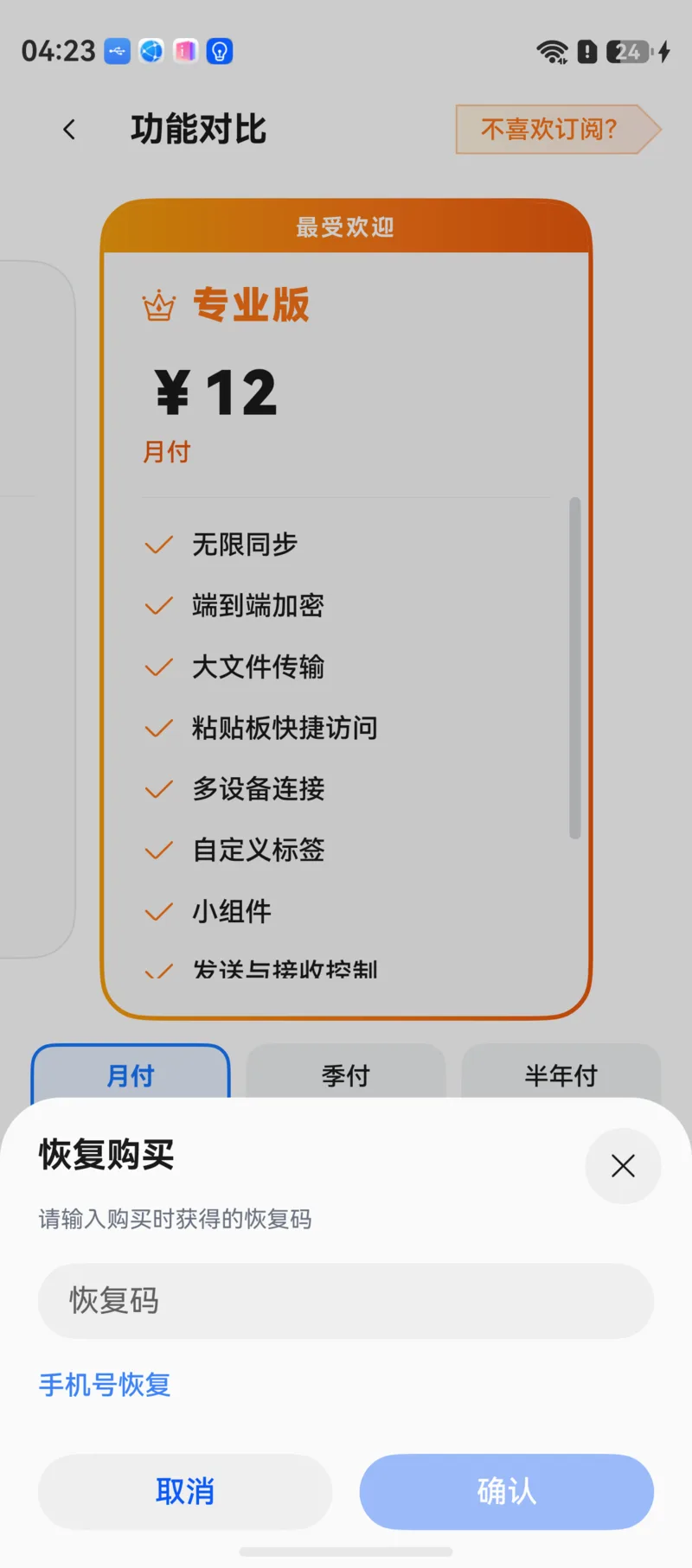
When switching phones, reinstalling the app, or using a second device, use Restore Purchase to get your membership back. Either method works:
Restore with Restore Key
Enter the restore key you received at purchase. Once verified, this device is bound to the membership immediately.
Restore with Phone Number
First, tap Bind Phone Number on a device that already has the membership. After that, enter the same phone number and the SMS verification code on any device to restore.
Bind a phone number
If you lose the restore key, you can't use it to restore your membership. Bind a phone number right after purchasing for an extra layer of protection.